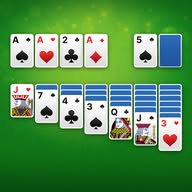
PUZZLE GAME
Klondike Solitaire.
Choose Draw 1 or Draw 3 and plan your stock moves in Klondike Solitaire.
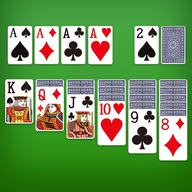
Klondike Solitaire at a glance
Klondike Solitaire is a puzzle browser game. Choose Draw 1 or Draw 3 and plan your stock moves in Klondike Solitaire.
- Category
- Puzzle games
- Platform
- Web browser
- Installation
- No app installation required
- Player layout
- Portrait, centered in the player
- Start playing
- Select Play now above to load the game
For loading or save questions, see the browser game guide.
ABOUT THE GAME
About Klondike Solitaire
Klondike Solitaire is a separate free browser player for the classic 52-card patience game. Work with seven tableau columns, the stock and waste pile, and four suit foundations. Its drawing-mode setting lets you choose one-card or three-card draws. This page focuses on planning around the waste pile while you reveal hidden tableau cards. Hints, undo and theme controls are available inside the player.
THE BASICS
How to play
Build tableau runs downward using alternating red and black cards. Put available Aces on the four foundations, then add the remaining cards upward by suit to King. Move a King or a King-led run into an empty column. In Settings, choose Draw 1 for one stock card at a time or enable Draw 3 for groups of three; only the top waste card is playable.
Tips for Klondike Solitaire
- In Draw 3, check which waste card becomes available after a move before cycling the stock again.
- Keep a useful descending run together and check whether moving it will expose a face-down card. Use Undo to revisit an unhelpful sequence.
Controls and screen layout
This player uses a portrait layout. Use Full screen after starting if you need more space. Follow any device-specific controls shown inside the game.
Klondike Solitaire questions
What is Klondike Solitaire?
Klondike is the familiar solitaire game with seven tableau columns and four suit foundations. It uses one 52-card deck. Build alternating-color runs on the tableau and same-suit sequences from Ace to King on the foundations.
What is the difference between Draw 1 and Draw 3?
Draw 1 reveals one stock card at a time. Draw 3 reveals a group of three, with only the top card immediately playable. After that card moves, the next exposed waste card becomes available.
How do I change the draw mode?
Open the Settings controls inside this player and use the Draw 3 toggle to choose three-card draws or one-card draws. Read the game prompts before changing an active deal.
Does this player have hints and undo?
Yes. Use Hint to find a suggested available move and Undo to revisit a previous move. A hint suggests a move rather than guaranteeing that a deal can be won.
How is this different from Classic Solitaire on PlayVello?
Both players use the Klondike rule family and offer draw settings. They have separate interfaces and locally stored game state. Choose either player; progress is not shared between their pages.
Can I play Klondike Solitaire free without downloading an app?
Yes. Select Play now to load it in your browser. No app installation or PlayVello account is required; game assets download on first load.
More solitaire games
Compare the goals and rules before choosing your next game: Solitaire games.